
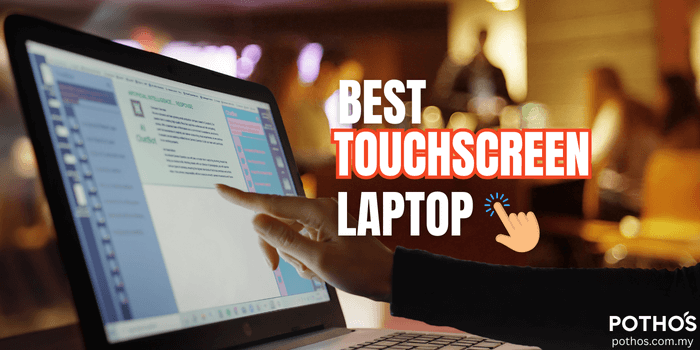
This article will guide you through everything you need to know about the best touchscreen laptop options in Malaysia, along with facts, price comparisons, and practical tips to help you make the best choice.
In today’s digital world, laptops have become a necessity for almost everyone, from students attending online classes, to professionals working remotely, to parents managing household tasks or small businesses.
One type of laptop that is becoming increasingly popular in Malaysia is the touchscreen laptop.
Why? Because it offers the perfect blend of convenience, speed, and versatility. You can type on the keyboard as usual, but when you need quick navigation, just tap or swipe the screen like a tablet.
This makes it especially helpful for parents who are less tech-savvy, children who are more comfortable with touch screens, and professionals who need efficiency at work.
Why Choose a Touchscreen Laptop?
Here are some reasons why Malaysians are increasingly choosing a touchscreen laptop over the traditional model:
1. Easy to Use – Just like using a smartphone or tablet, a touchscreen laptop is intuitive. Parents who are not used to complex technology often find touch-based navigation more natural.
2. Perfect for Students – With e-learning and hybrid classes becoming common in Malaysia, many students benefit from note-taking apps where they can draw or write directly on the screen.
3. Great for Creativity – For graphic designers, architects, or even kids who love drawing, a touchscreen laptop provides the flexibility of sketching directly on the display with a stylus.
4. Time-Saving – Need to scroll quickly through a presentation, zoom in on a document, or sign a digital form? A touchscreen lets you do it faster than using a mouse or trackpad.
5. Versatile – Many models are 2-in-1, meaning they can be folded and used as a tablet. Perfect for presentations, family video calls, or even watching Netflix.
Read more: New vs Refurbished vs Second Hand Laptop. Which One Should You Buy?
The Market Trend in Malaysia
According to a report from Verified Market Reports, IDC data indicates that laptops with touchscreens represented over 30% of the total laptop market in 2022, with continued growth projected
In Malaysia, the adoption is growing rapidly, especially in urban areas like Kuala Lumpur, Petaling Jaya, Penang, and Johor Bahru.
What to Consider Before Buying a Touchscreen Laptop
When searching for the best touch screen laptop, here are a few factors you should keep in mind:
1. Screen Size
13-14 inches: Great for portability, light, and easy to carry.
15-16 inches: Better for students or professionals who need a larger display for multitasking.

2. Battery Life
Touchscreen laptops often consume more battery due to the interactive display. Look for models with at least 8 hours of battery life if you’re always on the move.
3. Stylus Support
Not all touchscreen laptops support a stylus. If your child or you plan to use it for drawing or handwriting, ensure stylus compatibility.
4. Performance
Intel i5 / Ryzen 5 and above: Good balance for everyday use.
Intel i7 / Ryzen 7: Recommended for professionals and heavy multitasking.
Minimum 8GB RAM for smooth performance.
5. Price
In Malaysia, touchscreen laptops range between RM2,500 – RM7,000, depending on the brand, specs, and features.
The Best Refurbished Touchscreen Laptop in Malaysia (2026 Picks)
Here’s a list of the most recommended models available in the Malaysian market right now:
| Model | Price (RM) | Best For |
|---|---|---|
| HP ZBook Firefly 14 G7 Mobile Workstation | 1,900 (Grab the offer!) | Professionals, business owners |
| Lenovo ThinkPad X390 Yoga | 1,290 (Grab the offer!) | Student, professionals, business owners |
| Lenovo Chromebook 500e | 490 (Grab the offer!) | For kids |
Why These Models Stand Out
1. Lenovo ThinkPad X1 Carbon Generation 9
✅ Touchscreen Option – Available with a responsive touch display, making navigation, note-taking, and presentations easier.
✅ Powerful & Lightweight – Slim, ultra-light (around 1.13kg) yet equipped with Intel 11th Gen processors for fast performance.
✅ Business-Grade Security – Features like fingerprint reader, webcam privacy shutter, and strong durability (MIL-STD tested).
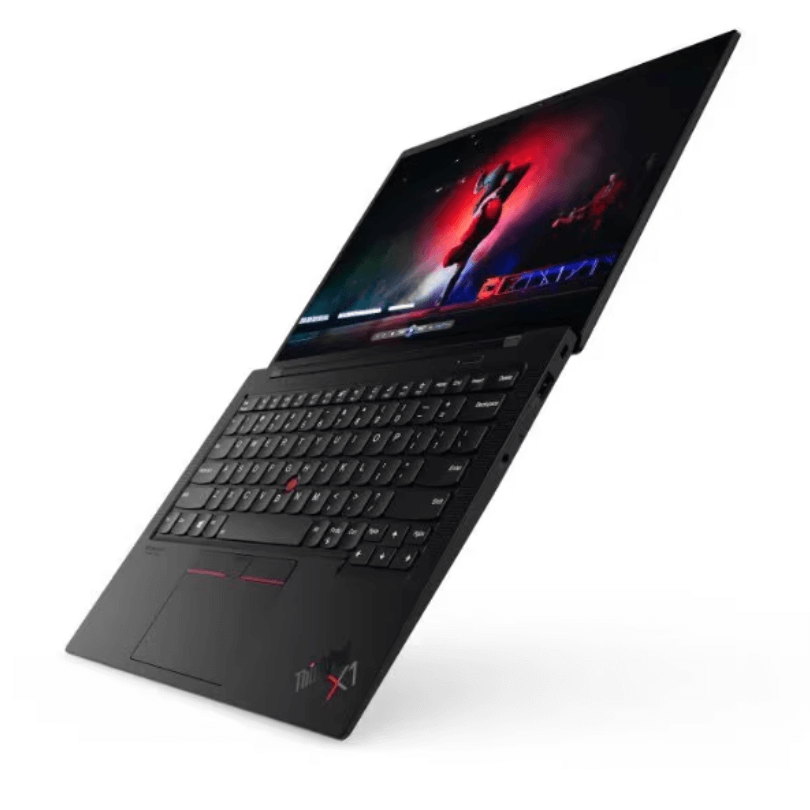
Lenovo ThinkPad X1 Carbon Generation 9
Touchscreen, ultra-light and durable business laptop. Suitable for business and professional.
Only RM2,400. Click for more info.
2. HP ZBook Firefly 14 G7 Mobile Workstation
✅ Touchscreen convenience – Navigate, present, or sketch directly on the display for faster and more intuitive use.
✅ Powerful performance – Intel Core i7 + 16GB RAM ensures smooth multitasking for business apps, design, or data-heavy work.
✅ Lightweight & professional design – Slim, durable, and portable, perfect for business owners and professionals on the go.
3. HP EliteBook 1040 G8 x360
✅ Touchscreen & 360° convertible design – use it as a laptop or flip into tablet mode for presentations, note-taking, or creative work.
✅ Powerful performance – equipped with Intel Core processors, fast SSD storage, and ample RAM for smooth multitasking.
✅ Business-grade security & durability – features like HP Sure View privacy screen, fingerprint reader, and military-grade build quality for professionals on the go.
4. Lenovo ThinkPad X390 Yoga
✅ Touchscreen Option – Makes navigation easier and more intuitive, especially for presentations or quick edits.
✅ Strong Performance – Powered by up to Intel Core i5 (8th Gen), ideal for student, business and multitasking.
✅ Long Battery Life – Designed for professionals on the go, lasting a full workday
5. Lenovo Chromebook 500e
✅ Touchscreen & Stylus Support – Easy for students to write, draw, and interact with apps just like a tablet.
✅ Durable Design – Built rugged with reinforced ports and spill-resistant keyboard, ideal for kids and classroom use.
✅ Fast & Simple – Runs on ChromeOS with quick boot-up, automatic updates, and long battery life for all-day learning.
Advantages of a Touchscreen Laptop for Parents in Malaysia
1. Easy Online Payments – Touch navigation makes paying bills or shopping online faster.
2. Video Calls with Family – Flip it into tablet mode for Zoom or WhatsApp calls with relatives.
3. Assisting Kids with Homework – Parents can guide children directly on-screen when using educational apps.
4. Side Hustles or Business – Many Malaysian parents run small online businesses. A touchscreen laptop makes product photo editing, order management, and customer chats more convenient.
Potential Drawbacks
1. Slightly Higher Cost – Touchscreen laptops cost about 15–20% more than non-touch versions.
2. Battery Drain: The screen consumes more energy.
3. Screen Smudges: Fingerprints are more noticeable, so frequent cleaning is required.
However, these disadvantages are minor compared to the overall convenience and functionality you gain.
Tips to Buy a Touchscreen Laptop in Malaysia
1. Shop During Mega Sales – Platforms like Lazada and Shopee often have 11.11, 12.12, or Raya sales where laptops can be up to 30% cheaper.
2. Check Warranty Coverage – Ensure the laptop comes with at least a 3 to 1 year local warranty. Some brands like Dell and HP offer on-site service in Malaysia.
3. Consider Refurbished Options – If budget is a concern, look for certified refurbished models from official stores. They are cheaper but still reliable.
Read more: 5 Reasons Refurbished Laptop Are a Better Choice Than New Laptop
5. Visit a Physical Store First – If possible, try out the touchscreen in person before buying online. Some parents may find certain screens more responsive than others.
FAQ: Touchscreen Laptop in Malaysia
Q: Is a touchscreen laptop worth it for students?
A: Yes, especially for those in secondary school, college, or university. It helps with note-taking, online classes, and projects.
Q: Does a touchscreen laptop replace a tablet?
A: Yes, most 2-in-1 touchscreen laptops can double as a tablet, so you don’t need both.
Q: Which brand is most reliable in Malaysia?
A: HP, Dell, Lenovo, ASUS, and Microsoft Surface are the most trusted.
Q: How long does a touchscreen laptop usually last?
A: With proper care, 5–7 years the same as a traditional laptop but it’s depend on the usage.
Conclusion
If you are a parent, student, or professional in Malaysia, investing in the best touch screen laptop can make your daily life much easier. From helping kids with online classes to managing your own work or business, a touchscreen laptop gives you flexibility, speed, and convenience.
The Malaysian market offers plenty of options, whether you want an affordable model like the HP Elitebook, or a premium business choice like the Lenovo X1 Carbon.
The key is to match your budget and needs. If you value convenience, creativity, and modern features, then a touchscreen laptop is definitely worth considering.
Need best touchscreen laptop with budget price? Contact us here to get special deal today!


 No products in the cart.
Comment (1)